Printer brands

Choose your printer brand to check drivers and common printer issues.

Select a brand to review driver availability, offline errors, wireless problems, scanner detection issues, and model-specific printer faults.

Printer not responding, showing offline, or failing to print?

Open live chat to discuss driver errors, queue problems, wireless disconnections, scanner failures, or paper-feed faults.

Issue categories

Common printer problems that need fast action.

These are the most frequent printer complaints reported by users when drivers fail, printers go offline, scanners disappear, or pages do not print correctly.

01

Driver and software problems

Driver corruption, missing packages, failed installs, and version conflicts can stop a printer from appearing or responding correctly.

  • Driver file mismatch and missing printer entries
  • Failed installs after updates or device changes
  • Spooler resets and restart checks after driver errors
02

Offline and connection issues

Offline printers are often caused by network changes, paused queues, bad ports, or devices dropping off Wi-Fi unexpectedly.

  • Wi-Fi name changes and network visibility checks
  • USB port changes and spooler service review
  • Queue clearing and printer status verification
03

Scanner and print quality issues

Scanner apps may stop detecting the device, and print output can suffer from streaks, blank pages, smudges, or paper jams.

  • Scanner detection and communication failures
  • Paper jam, tray feed, and pickup roller issues
  • Blank pages, faded print, and alignment checks

Troubleshooting resources

Core checks for installation errors, offline printers, and print failures.

These sections focus on the checks users usually run first when a printer is newly connected, suddenly offline, or no longer printing as expected.

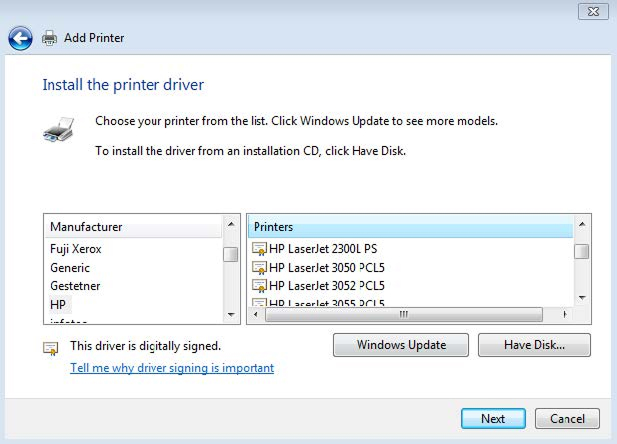
Printer driver selection screen

Driver installation checks

When a driver does not install correctly, the printer may never appear in the device list or may print with limited functionality.

  1. Confirm the exact printer model before choosing a driver.
  2. Remove outdated packages that conflict with the current device.
  3. Reconnect the printer after the driver finishes installing.
  4. Print a test page to confirm the driver is active and responding.
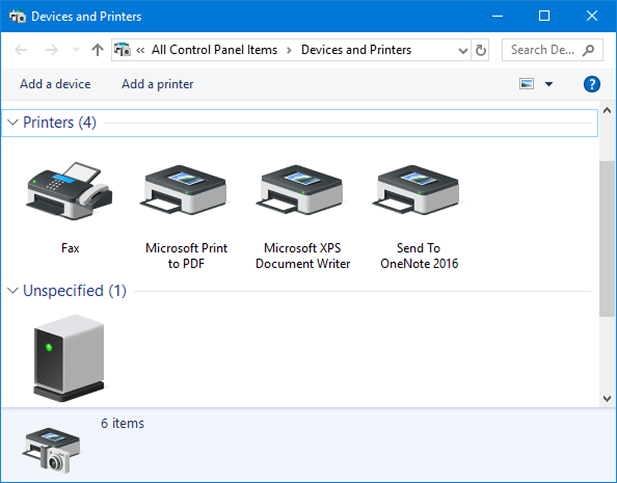
Offline printer troubleshooting screen

Printer offline troubleshooting

Offline status is one of the most common printer complaints and usually points to a connection fault, queue problem, or driver interruption.

  1. Check power, cable, and Wi-Fi connection state.
  2. Review pending print jobs and clear stuck queue items.
  3. Confirm the driver is installed and the correct port is selected.
  4. Restart the printer and resend a small print job.

Problem flow

A practical sequence for narrowing down printer faults.

Most printer issues can be narrowed down faster by checking the model, driver state, connection path, and the exact symptom in a fixed order.

Step 01

Identify the symptom

Start by deciding whether the problem is a driver error, offline printer, scanner failure, paper jam, or print quality defect.

Step 02

Identify the device

Exact model details help narrow the right driver family, cartridge type, scanner package, and common model-specific faults.

Step 03

Review connection state

Check whether the failure is tied to Wi-Fi, USB, queue blockage, port mismatch, or a driver that stopped responding.

Step 04

Apply brand-specific fixes

Move to the brand page to review model-specific driver files, wireless checks, scanner issues, and printer error patterns.

Important notice

Independent printer information focused on drivers, connectivity, and common device faults.

This page is intended for users dealing with driver problems, offline printers, scanner errors, connection failures, and print-quality issues across major brands.

Independent resource PrintHubSolution publishes general printer information covering drivers, error symptoms, and connection-related issues.
Brand references Product names, logos, and trademarks remain the property of their respective owners.
No manufacturer endorsement This page does not state affiliation with or endorsement by printer manufacturers.
Issue-focused content Topics are centered on driver failures, offline status, scanner faults, paper jams, and print output problems.